 October 26, 2026
UX Design Process: 7 Steps From Research to Developer Handoff

16
Oct
 Morgan
 Startups
 0 Comments
Published
The UX design process is the structured way a product team learns what users need, turns those needs into flows and screens, tests them with real people, and hands a validated design to developers. It usually runs through seven steps: discovery, user research, analysis, user flows and wireframes, UI design, prototyping and testing, and handoff.
For founders and product owners, the UX design process is less about pretty screens and more about risk. Every step exists to answer a question before code makes that question expensive. Skip research and you build for the wrong user. Skip testing and you pay developers to rebuild flows that confused people in week one.
This guide walks through each step of the UX design process, what you should receive at the end of it, how long it typically takes, and what you need to prepare before a design team starts.
What Is the UX Design Process?
The UX design process is a repeatable sequence of research, design, and validation activities used to create a digital product that is easy to understand and easy to use. It connects business goals with user behavior, so design decisions are based on evidence rather than opinion.
You will see the UX process described with five, six, seven, or eight steps. The number matters less than the logic: understand the problem, explore solutions, test the most promising one, and refine it. A good UX design process is also iterative. Findings from testing often send the team back to an earlier step, and that is the process working as intended.
It also helps to separate the user experience design process from visual design. UX covers structure, flow, and behavior. UI covers how each screen looks. Both are needed, and in practice they run as one UI UX design process, which is how our UI/UX design services are delivered.
The UX Design Process at a Glance
The table below summarizes the seven UX design process steps, what each one produces, and the typical time for a startup product with roughly 10 to 25 core screens. Larger or regulated products take longer.
| Step | Main goal | Key deliverables | Typical time | Common tools |
| 1. Discovery and goal setting | Agree on the problem, users, scope, and success metrics | Project brief, assumptions list, success metrics | 3 to 5 days | Notion, Miro, Google Docs |
| 2. User research | Learn how target users behave and what they struggle with | Interview notes, survey results, competitor review | 1 to 2 weeks | Zoom, Typeform, Dovetail |
| 3. Analysis and information architecture | Turn research into clear priorities and structure | Personas, journey map, sitemap | 3 to 5 days | FigJam, Miro, Optimal Workshop |
| 4. User flows and wireframes | Design the path through each key task | User flows, low-fidelity wireframes | 1 to 2 weeks | Figma, FigJam, Whimsical |
| 5. UI design and design system | Create the visual layer and reusable components | High-fidelity screens, style guide, component library | 2 to 3 weeks | Figma, Adobe Illustrator |
| 6. Prototyping and usability testing | Validate the design with real users before development | Clickable prototype, test findings, revised screens | 1 to 2 weeks | Figma prototypes, Maze, Lyssna |
| 7. Handoff, launch, and iteration | Give developers everything they need and keep improving | Annotated designs, specs, assets, iteration backlog | 3 to 5 days, then ongoing | Figma Dev Mode, Storybook, Hotjar |
The 7 Steps of the UX Design Process
Each step below explains what happens, who should be involved, and what a founder should expect to review.
1. Discovery and Goal Setting
Discovery sets the boundaries for everything that follows. The design team and the business agree on the problem being solved, the primary user groups, the main tasks those users need to complete, and how success will be measured. A clear success metric, such as completed sign-ups or fewer support tickets, keeps later design debates grounded.
This is also where assumptions are written down. Every product starts with guesses about users. Listing them early means the research step can test the riskiest ones first.
2. User Research
User research replaces guesses with evidence. For most startup products, five to eight short interviews with people who match the target user give enough direction to start. Surveys, analytics from an existing product, support tickets, and a review of competitor products add context.
The goal is not a long report. It is a short list of real user problems, the language users use to describe them, and the moments where they currently give up. Those findings shape every later UX design stage.

3. Analysis: Personas, Journeys, and Information Architecture
Analysis turns raw research into decisions. The team groups findings into patterns, creates simple personas for the main user types, and maps the user journey from first visit to the moment the product delivers value.
Information architecture comes next. This is the structure of the product: what goes in the main navigation, how content is grouped, and what each screen is responsible for. Getting this right prevents the common problem of a product that works feature by feature but feels confusing as a whole.
4. User Flows and Wireframes
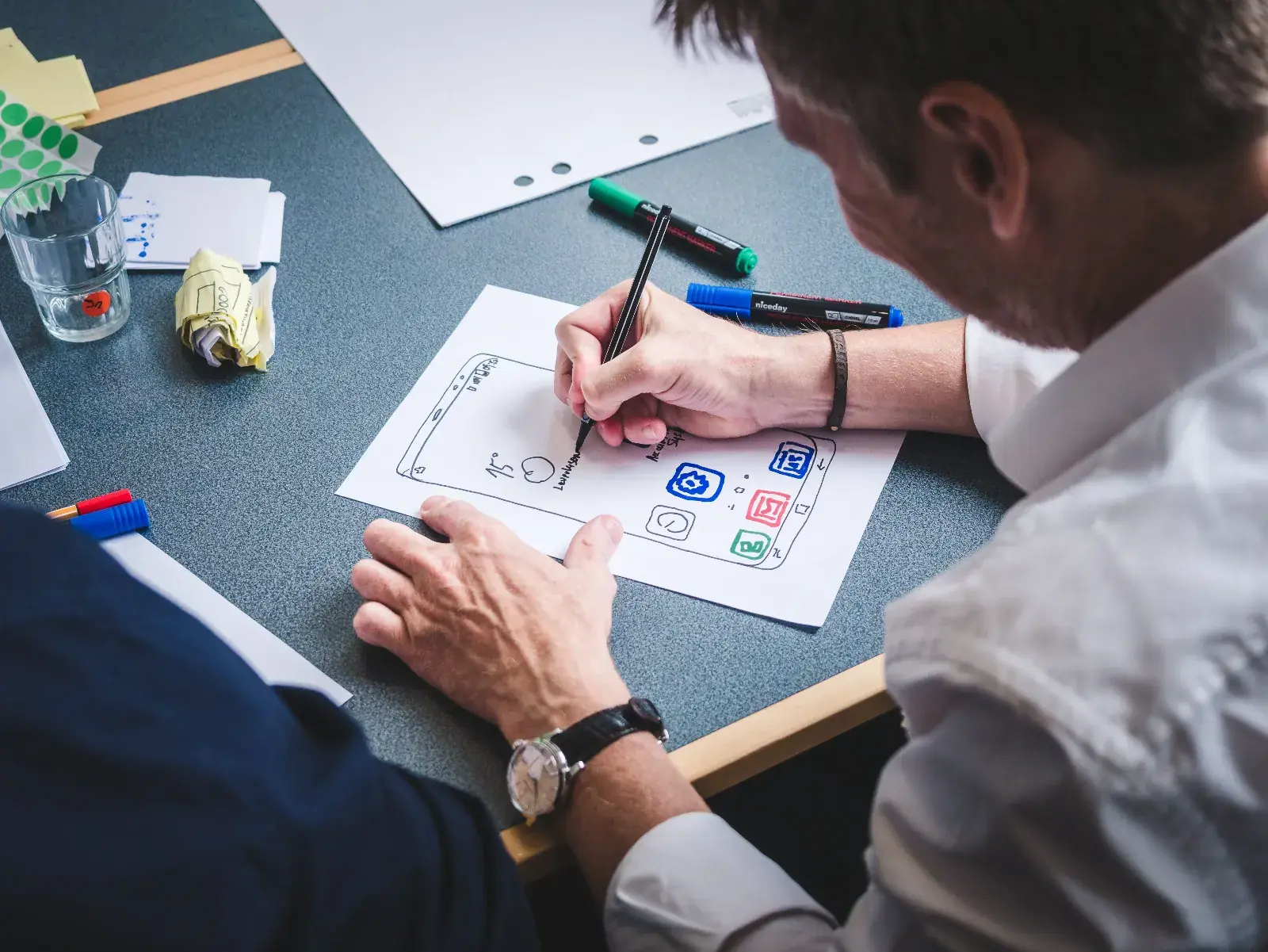
User flows show the exact path a person takes to complete a task, including decision points and error states. Wireframes then sketch each screen in that path using simple boxes and placeholder text, without color or styling.
Low-fidelity work is fast and cheap to change, which is the point. Founders should review flows and wireframes carefully, because this is the stage where adding, removing, or reordering a step costs hours instead of weeks of development.
5. UI Design and Design System
Once flows are approved, the UI design process adds the visual layer: typography, color, spacing, icons, and imagery that match the brand. Instead of designing every screen from scratch, a good team builds a small design system with reusable components such as buttons, form fields, and cards.
This step should also include accessibility checks against the W3C Web Content Accessibility Guidelines (WCAG) 2.2, such as color contrast, readable text sizes, and clear focus states. Most teams work in Figma, which keeps designs, components, and comments in one shared file.
6. Interactive Prototyping and Usability Testing
A clickable prototype links the high-fidelity screens together so it behaves like the real product. Users can tap through sign-up, search, checkout, or any other core task while the team watches where they hesitate or get lost.
You do not need a large test group. Research by Jakob Nielsen at Nielsen Norman Group found that testing with about five users uncovers roughly 85% of usability problems, as long as those users are similar to each other. If your product serves very different groups, such as buyers and sellers, test a few people from each group. Several small rounds of testing are more useful than one large one.
7. Developer Handoff, Launch, and Iteration
Handoff gives developers what they need to build the product as designed: final screens, component specs, spacing and color values, exported assets, and notes on interactions and edge cases. Tools like Figma Dev Mode reduce back and forth, but a short walkthrough between designers and developers still prevents most misunderstandings.
The UX design process does not end at launch. Real usage data, session recordings, and support requests reveal new friction points. Feeding them into a regular UX design cycle is what turns a usable product into a good one.

UX Design Process vs Design Thinking
Design thinking is a problem-solving framework with five stages: empathize, define, ideate, prototype, and test. The UX design process applies the same thinking to a specific digital product and adds the practical steps needed to ship it, such as information architecture, UI design, and developer handoff.
| Design thinking stage | Matching UX design process steps | What it adds for a real product |
| Empathize | Discovery, user research | Business goals and success metrics alongside user needs |
| Define | Analysis and information architecture | A product structure and clear screen responsibilities |
| Ideate | User flows and wireframes | Concrete task paths, including error and empty states |
| Prototype | UI design, design system, interactive prototype | Brand, accessibility, and reusable components |
| Test | Usability testing, iteration after launch | Developer handoff and ongoing measurement |
How Long Does the UX Design Process Take?
For a startup product with 10 to 25 core screens, a complete UX design process usually takes about 6 to 10 weeks from discovery to handoff. A focused redesign of one feature can take 2 to 4 weeks, while a large product with several user roles can take 3 to 6 months.
The biggest factors are the number of user roles, how much research already exists, how quickly the business gives feedback, and how many testing rounds are needed. The UX design phases that usually take longest are user research and UI design. Slow approvals are the most common reason timelines slip. A single decision maker with set review slots usually saves more time than any design tool.
What Founders Should Prepare Before the UX Process Starts
A design team moves faster and makes better decisions when the business side arrives prepared. Before the first workshop, gather the following:
- A one-paragraph description of the problem and who has it
- The two or three most important tasks a user must be able to complete
- Any existing research, analytics, customer feedback, or sales call notes
- Access to five to eight people who match your target user for interviews and testing
- Brand assets, if they exist, such as logo, colors, and fonts
- Known technical or compliance constraints, such as required integrations or data rules
- One named decision maker and an agreed review schedule
Why Skipping UX Steps Costs More Later
Skipping steps in the UX design process rarely saves money. It moves the cost into development, where every change takes longer and involves more people. A flow that confuses users in a prototype can be fixed in an afternoon. The same flow, once built, may need design, frontend, backend, and QA work to change.
The business case for good design is also well documented. A McKinsey study of 300 publicly listed companies tracked over five years found that companies in the top quartile of its Design Index achieved 32 percentage points higher revenue growth than their industry peers. On the conversion side, Baymard Institute's checkout research estimates that the average large ecommerce site could increase its conversion rate by about 35% through better checkout design alone.
The most common shortcuts that backfire are skipping research because the founder already knows the user, going straight to high-fidelity screens, and testing only with the internal team.
How the UX Design Process Fits Into MVP Development
For an early product, the UX design process is what keeps an MVP small and focused. Research and flows show which features users actually need for the first release, and a tested prototype gives developers a clear scope before the build starts.
A prototype and an MVP serve different purposes. The prototype tests whether people understand and want the experience. The MVP tests whether the working product delivers value in real use. Our guide on prototype vs MVP explains when you need each one, and our MVP development work usually starts from a validated prototype rather than a feature list.
Real Example: A Home Remodeling Website
A home renovation company in the western United States came to Infigo Solutions needing a website that presented its services clearly, worked well on mobile, and made it easy for prospective customers to get in touch. The core goal of the UI/UX design process was a short, simple path from a service page to an inquiry.
The work covered UI/UX design, responsive development, service pages, a contact form, speed optimization, and basic SEO, delivered by a small team of two to five specialists. The client reported more website inquiries, better engagement, and positive feedback on design and ease of navigation, and rated the project 5.0 out of 5. You can read the full home remodeling website design case study for details.
Frequently Asked Questions
What are the 5 stages of the UX design process?
The five-stage version follows design thinking: empathize, define, ideate, prototype, and test. Many teams expand this into seven UX design steps by separating discovery, information architecture, UI design, and developer handoff, because those are distinct pieces of work in a real product.
How many users do you need for usability testing?
About five users per round is enough to find most usability problems when those users are similar. If your product has very different user groups, test three or four people from each group, and run several small rounds rather than one large one.
What deliverables should a UX design process produce?
At minimum, expect a project brief, research findings, user flows, wireframes, high-fidelity screens, a basic design system, a clickable prototype, usability test findings, and developer-ready specs. The exact list depends on scope, but each deliverable should be something you can review and approve.
Do I need UX research for an MVP?
Yes, but it can be small. A week of interviews and a quick review of competitors is usually enough to avoid building features nobody uses. Research for an MVP should focus on the riskiest assumptions, not on documenting everything.
How involved should the founder be in the UX design process?
Most involved at the start and at review points. Founders should join discovery, help recruit interview participants, and approve flows, wireframes, and the final prototype. Day-to-day design work does not need constant input, but slow approvals at key steps are the most common cause of delays.
How is AI changing the UX design process?
AI tools now help with summarizing interview notes, drafting early layouts, writing placeholder copy, and analyzing test recordings. They speed up parts of the work, but they do not replace talking to real users or testing with them. Teams still need human judgment to decide what the evidence means.
A clear UX design process gives your developers a tested blueprint and gives your users a product that makes sense from the first screen. If you are planning a new product or redesigning an existing one, explore how our startup product development team approaches research, design, and build as one connected process.


.webp "LinkedIn")
Leave a Message

Morgan
Senior Consultant
Helps startups and businesses validate product ideas, plan MVPs, evaluate AI opportunities, and build scalable software strategies around real business goals.
Recent Posts
 October 26, 2026
 October 26, 2026
Web Application Architecture: Components, Types and Diagram
 October 26, 2026
Comments
No comments yet. Be the first to comment!