 October 26, 2026
Automation Strategy: RPA, AI Automation, AI Agents, or Hybrid?
8
Oct
 Admin
Admin AI
AI 0 Comments
Published
Automation used to be a relatively simple technology decision.
If a task was repetitive, rule-based, and predictable, businesses automated it with scripts, workflow tools, or robotic process automation.
AI has changed that decision.
Modern businesses can now automate not only fixed steps, but also document interpretation, classification, recommendations, exception handling, multi-step reasoning, and actions across multiple systems.
That creates a new challenge.
The question is no longer:
What should we automate?
The more important question is:
What type of automation should each part of the process use?
A good automation strategy separates work that needs deterministic rules from work that benefits from AI, reasoning, or human judgment.
In practice, most companies now have four main options:
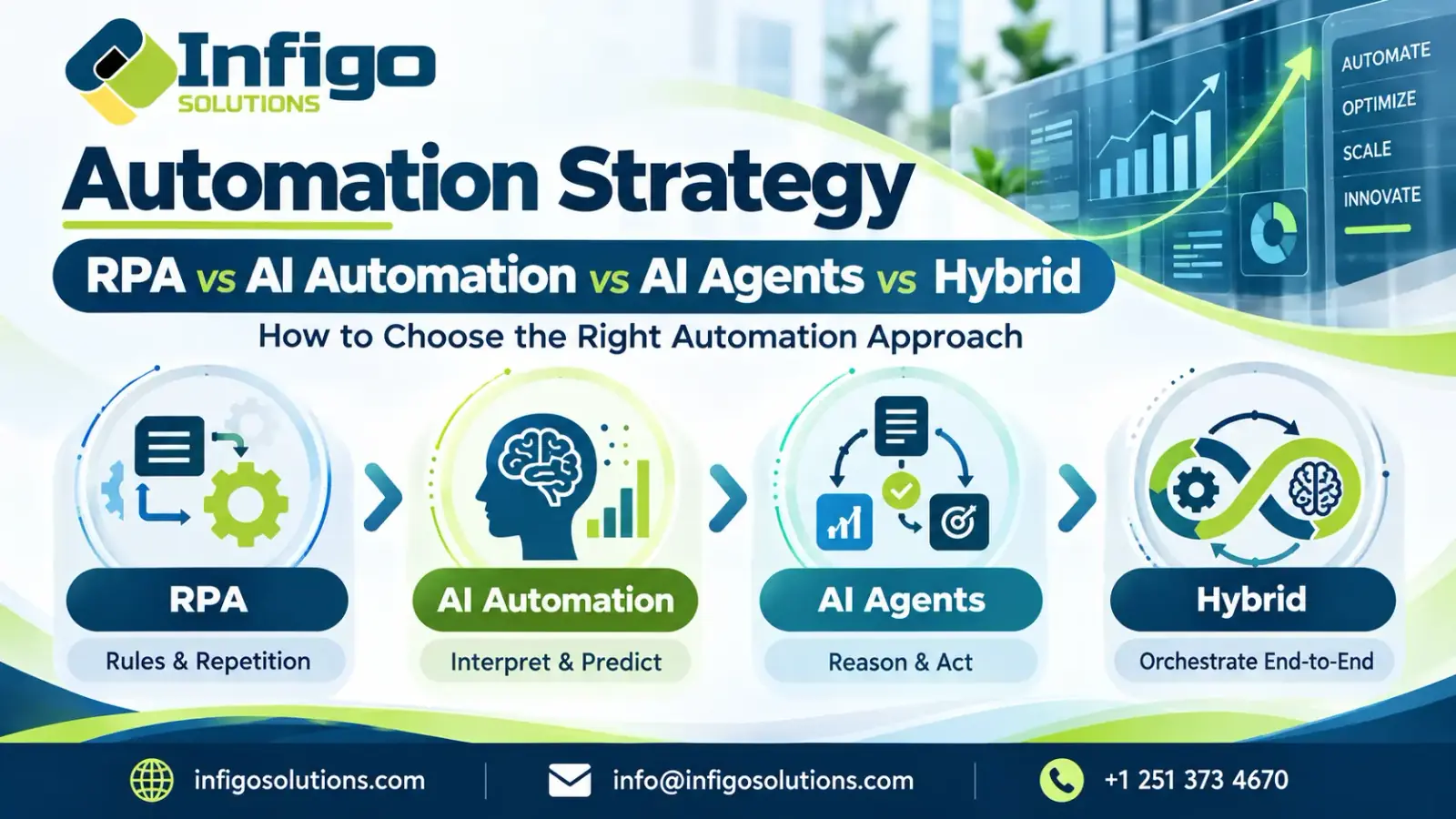
RPA → AI Automation → AI Agents → Hybrid Automation
Choosing correctly matters because using the wrong level of automation can increase cost, complexity, risk, and maintenance without improving the process.
This guide explains how to choose the right automation approach for different business workflows and how to build an automation framework that can scale as requirements become more complex.
What Is an Automation Strategy?
An automation strategy is a structured plan for deciding which business processes should be automated, which technologies should be used, how systems should integrate, where human oversight is required, and how success will be measured.
It is broader than simply selecting an automation tool.
A real automation strategy considers:
- business outcomes
- process complexity
- task volume
- process stability
- data quality
- system integrations
- decision requirements
- exception rates
- operational risk
- compliance requirements
- maintenance
- expected ROI
The objective is not to automate the largest number of tasks.
The objective is to automate the right work with the right level of intelligence and control.
For example, a finance workflow may contain several different automation needs.
Invoice data extraction may benefit from AI.
Validation against purchase-order rules may work better with deterministic logic.
Entering approved information into a legacy ERP may still be a strong RPA use case.
Resolving unusual discrepancies may require an AI agent or human approval.
That entire process can be automated, but not necessarily with one technology.
This is why modern automation strategy increasingly focuses on orchestration rather than replacing every existing system with AI.
Microsoft's current automation platform reflects this convergence by combining cloud workflows, RPA, AI capabilities, and agent integrations within the same broader automation environment. Microsoft Learn
Why Automation Strategy Matters More in the AI Agent Era
Traditional automation worked best when processes followed predictable paths.
A workflow might say:
If condition A happens, perform action B.
That model still works extremely well for many business tasks.
The difficulty appears when the process includes:
- unstructured documents
- changing inputs
- unclear exceptions
- contextual decisions
- multiple tools
- variable task sequences
- human judgment
AI agents introduce the ability to reason through some of these situations rather than follow only predefined steps.
But greater autonomy also creates greater operational risk.
An RPA bot normally performs actions according to explicit rules.
An AI agent may select tools, interpret context, plan steps, and change its behavior depending on what it encounters.
That makes the system more flexible, but also increases the importance of permissions, monitoring, validation, auditability, and human approval.
UiPath's current enterprise guidance reflects this distinction. It positions deterministic RPA as a strong fit for predictable, rules-based work, while agents are more appropriate for ambiguous tasks that require judgment or interaction with unstructured inputs. UiPath
The goal of an automation strategy is therefore not to replace RPA with AI agents.
It is to decide where each level of automation belongs.
The Four Layers of Modern Business Automation
A useful automation framework can divide business automation into four layers.
Rule-Based Automation and RPA
Rule-based automation performs predefined actions when specific conditions are met.
RPA extends this concept by using software bots to interact with applications through user interfaces in ways similar to human users.
Typical tasks include:
- copying data between systems
- updating records
- generating reports
- processing structured forms
- executing repetitive administrative actions
- working with legacy applications that lack APIs
RPA is strongest when processes are stable, structured, high-volume, and predictable.
UiPath describes RPA as particularly suitable for repetitive, rules-based work with structured inputs and emphasizes its reliability for deterministic execution. UiPath
AI-Assisted Automation
AI-assisted automation adds intelligence to an otherwise structured workflow.
The AI does not necessarily control the entire process.
Instead, it performs specific tasks that traditional rules struggle with.
Examples include:
- extracting information from documents
- classifying customer requests
- summarizing conversations
- forecasting demand
- identifying anomalies
- recommending actions
- interpreting natural language
A workflow might use AI to interpret an invoice and then send the extracted values into a deterministic validation process.
This approach is often useful when the process itself is stable but some inputs are unstructured.
AI Agents
AI agents are designed to work toward goals rather than simply execute one predefined action.
An agent may:
- interpret an objective
- determine which steps are required
- use APIs or software tools
- retrieve information
- reason through exceptions
- maintain context
- take multiple actions
- ask for approval when necessary
This makes agents useful for workflows where the path cannot be fully defined in advance.
For example, an internal operations agent may receive a support escalation, review customer history, search company documentation, check account status, recommend the next action, and update several systems.
That is fundamentally different from running a fixed script.
Companies building this type of workflow may require dedicated AI agent development with permissions, tool access, monitoring, and human-in-the-loop controls.
Hybrid Automation
Hybrid automation combines deterministic automation, AI, agents, integrations, and human decision-making within one process.
This is often the most realistic architecture for enterprise workflows.
A hybrid process might look like this:
Document Received → AI Extracts Data → Rules Validate Data → AI Agent Handles Exception → Human Approves High-Risk Case → RPA Updates Legacy System
The advantage is that each technology handles the type of work it performs best.
Rules provide consistency.
AI handles unstructured information.
Agents manage variability.
Humans remain involved where judgment or accountability matters.
UiPath increasingly describes enterprise automation in similar orchestration terms, coordinating agents, robots, and people across end-to-end processes. UiPath
RPA vs AI Automation vs AI Agents
| Factor | RPA | AI Automation | AI Agents | Hybrid Automation |
| Best for | Stable repetitive tasks | Intelligent task enhancement | Variable multi-step work | End-to-end processes |
| Inputs | Mostly structured | Structured and unstructured | Often mixed | Mixed |
| Decision model | Fixed rules | Prediction or generation | Reasoning and planning | Combined |
| Adaptability | Low | Medium | High | High |
| Auditability | High | Medium | Requires controls | Configurable |
| Human oversight | Low to medium | Medium | Often important | Built into workflow |
| Integration style | UI or workflow-based | APIs and workflows | Tools, APIs, systems | Multiple methods |
| Failure mode | Rule or UI break | Model error | Reasoning or tool error | Cross-layer failure |
| Best use case | Predictable execution | Interpretation and augmentation | Dynamic decisions | Complex enterprise workflows |
The important point is that these technologies are not mutually exclusive.
In many production environments, the strongest architecture combines them.
When RPA Is Still the Right Choice
AI agents receive more attention, but RPA remains valuable.
RPA is usually a strong choice when the task is:
- repetitive
- predictable
- high-volume
- rules-based
- dependent on legacy software
- sensitive to consistency
- easy to audit
For example, if employees repeatedly copy approved data from one system into another and the steps never change, an AI agent may add unnecessary complexity.
RPA can execute the task consistently without reasoning.
It can also remain useful when organizations rely on software that does not expose modern APIs.
Microsoft describes RPA as software automation that can emulate human interactions with graphical user interfaces, particularly for repetitive manual tasks. Microsoft Learn
The mistake is not using RPA.
The mistake is using RPA for tasks that are no longer predictable.
When AI Automation Is Better Than RPA
AI automation becomes more appropriate when the workflow is predictable but the information entering the workflow is not.
Consider customer support.
A traditional automation system can easily route a ticket when a category is already known.
The harder problem is understanding the customer's message.
AI can classify the message first.
The process may then continue through a deterministic workflow.
This pattern works well for:
- document processing
- email classification
- sentiment analysis
- summarization
- knowledge retrieval
- forecasting
- anomaly detection
- intelligent routing
The key distinction is that AI handles interpretation while the workflow remains controlled.
This is often safer and easier to operate than making an agent responsible for the entire process.
When AI Agents Make Sense
AI agents become useful when the work cannot be represented easily as a fixed sequence.
Strong agent use cases often involve three characteristics:
The goal is clear, the path varies, and multiple tools may be required.
Examples include:
- researching information across systems
- resolving operational exceptions
- coordinating multi-step customer requests
- investigating anomalies
- performing dynamic support workflows
- preparing contextual recommendations
- orchestrating actions across APIs
An agent may determine which tool to use based on context rather than following the same sequence every time.
However, autonomy should be proportional to risk.
An agent that summarizes internal documents requires fewer controls than an agent that modifies financial records.
Production agents therefore need permissions, monitoring, tool controls, auditability, and escalation paths.
UiPath's 2026 guidance on AgentOps highlights the operational requirements that appear when agents move into production, including tool access, auditability, drift monitoring, and cost control. UiPath
When Hybrid Automation Is the Better Architecture
Hybrid automation is often the best option when one business process contains different types of work.
Consider invoice processing.
A single invoice workflow may require:
Step 1: Document interpretation
AI extracts supplier, amount, tax, purchase order, and line items.
Step 2: Deterministic validation
Rules verify mandatory fields and compare values against system records.
Step 3: Exception handling
An AI agent investigates unusual mismatches by checking related records.
Step 4: Human approval
High-value or high-risk exceptions are sent to an employee.
Step 5: Legacy-system execution
RPA enters approved data into an older ERP interface.
Trying to force this entire workflow into a single automation technology would create unnecessary limitations.
The stronger approach is orchestration.
This is increasingly reflected in major automation platforms. Microsoft's recent Power Automate direction combines desktop automation with AI agents and cloud workflows so deterministic execution can coexist with more adaptive AI capabilities. Microsoft Learn
Automation Strategy Decision Matrix
| Workflow Condition | Recommended Starting Point |
| Stable, repetitive process | RPA or rules |
| Unstructured data with predictable next steps | AI automation |
| Variable process requiring reasoning | AI agent |
| Legacy UI with fixed steps | RPA |
| Multiple systems with changing actions | AI agent plus APIs |
| High-risk decisions | Hybrid with human approval |
| End-to-end enterprise process | Hybrid automation |
| Poorly defined process | Process redesign first |
| Unclear business value | Prototype before scaling |
This matrix should be treated as a starting point rather than a rigid rule.
A real implementation may use several approaches inside the same workflow.
How to Build an Automation Strategy
Start With Business Outcomes
Do not begin with a tool.
Begin with a measurable business problem.
Examples include reducing processing time, decreasing manual effort, improving accuracy, shortening customer response times, or lowering cost per transaction.
A business outcome gives the automation program a clear reason to exist.
Map the End-to-End Process
Document the complete workflow before automating individual tasks.
Identify:
- triggers
- systems
- users
- decisions
- exceptions
- inputs
- outputs
- approval points
- bottlenecks
This prevents teams from automating one task while leaving the larger process inefficient.
Separate Rules From Judgment
For each step, ask:
Can this decision be represented reliably as explicit rules?
If yes, deterministic automation may be preferable.
If the step depends on interpretation, context, or ambiguous information, AI may be more appropriate.
If the sequence itself changes depending on context, an agent may be required.
This distinction is one of the most important decisions in an automation framework.
Assess Data and Integration Readiness
Automation depends on access to reliable systems and information.
Review:
- APIs
- databases
- document repositories
- ERP systems
- CRM systems
- identity controls
- data quality
- permissions
- legacy applications
A technically impressive automation can still fail if the underlying data or integrations are unreliable.
Choose the Lowest Necessary Level of Autonomy
More autonomy is not automatically better.
Use the simplest approach that can reliably complete the task.
If a deterministic workflow solves the problem, use it.
If AI is needed only for document interpretation, add AI there.
If reasoning is necessary, introduce an agent.
This reduces complexity and makes systems easier to govern.
Define Human Approval Points
Some decisions should remain human-controlled.
Examples include:
- high-value financial actions
- sensitive customer decisions
- compliance exceptions
- unusual transactions
- irreversible actions
Human-in-the-loop design should be part of the architecture, not added after problems appear.
Pilot Before Scaling
Start with a narrow, measurable workflow.
A pilot should validate:
- technical feasibility
- output quality
- integration reliability
- exception handling
- operating cost
- user adoption
- business impact
Only after those assumptions are validated should the automation expand.
Measure Business Outcomes
Automation success should not be measured only by the number of bots, flows, or agents deployed.
Measure the impact on the business.
How to Prioritize Processes for Automation
A useful automation strategy scores candidate processes against several factors.
| Factor | Higher Automation Potential When |
| Volume | Task occurs frequently |
| Manual effort | Employees spend significant time on it |
| Error rate | Manual execution creates repeated mistakes |
| Process stability | Steps are well understood |
| Data availability | Required data is accessible |
| Business impact | Improvement affects cost, revenue, or service |
| Integration readiness | Systems can be connected reliably |
| Judgment requirement | Decision needs can be clearly classified |
| Risk | Automation can be controlled appropriately |
| ROI potential | Expected value exceeds implementation cost |
Processes with high volume, high manual effort, strong data access, and measurable business impact are usually good candidates.
Processes with unclear ownership, constantly changing rules, or unreliable data may need redesign before automation.
Infigo's business process automation services follow this process-first approach by identifying repetitive workflows, bottlenecks, and manual tasks before selecting the implementation method. Infigo Solutions
Common Automation Strategy Mistakes
The most expensive automation failures often begin before development starts.
Common mistakes include automating a broken process, selecting technology before defining business value, using AI agents where deterministic rules would be safer, ignoring exceptions, failing to plan for maintenance, automating high-risk actions without human approval, and measuring deployment rather than business outcomes.
Another common problem is automation fragmentation.
One department deploys RPA.
Another buys an AI tool.
A third team builds an agent.
None of the systems share orchestration, governance, monitoring, or process ownership.
The result is not an automation strategy.
It is a collection of disconnected automations.
How to Measure Automation ROI
Automation ROI should be connected to operational outcomes.
Useful metrics include:
| Metric | What It Measures |
| Cycle time | How quickly the process completes |
| Cost per transaction | Operational cost of each workflow |
| Manual touchpoints | How many human actions remain |
| Exception rate | Frequency of cases automation cannot complete |
| Error rate | Accuracy improvement |
| SLA performance | Ability to meet service targets |
| Employee time saved | Capacity returned to teams |
| Customer response time | Service improvement |
| Revenue impact | Contribution to growth or conversion |
| Automation uptime | Reliability of the system |
The strongest business case usually combines efficiency with quality.
Saving time while increasing exceptions is not a successful automation.
From Automation Strategy to Enterprise Architecture
Once automation expands across departments, architecture becomes increasingly important.
The organization may need:
- workflow orchestration
- APIs
- identity and permissions
- agent governance
- monitoring
- logging
- human approval systems
- model management
- data access controls
- legacy-system integration
At this stage, automation becomes part of the enterprise technology architecture rather than an isolated productivity project.
Organizations that need AI integrated across core systems may require broader enterprise AI solutions covering secure integrations, governance, scalable inference, and monitoring. Infigo Solutions
Which Automation Approach Should You Choose?
The best automation strategy is rarely based on one technology.
Use RPA when execution is predictable.
Use AI automation when information needs interpretation.
Use AI agents when workflows require reasoning and variable actions.
Use hybrid automation when the process contains several different types of work.
The practical progression often looks like:
Rules → AI Assistance → Agentic Reasoning → Hybrid Orchestration
The strongest strategy applies the minimum necessary intelligence to each part of the workflow while preserving reliability, governance, and measurable business value.
If your process spans rules, AI, multiple systems, and human decisions, an automation assessment can help determine which parts should use workflow automation, RPA, AI agents, or a hybrid architecture.
Frequently Asked Questions
What is an automation strategy?
An automation strategy is a structured plan for identifying which business processes should be automated, selecting the appropriate automation technologies, defining integrations and controls, and measuring business outcomes.
What is the difference between RPA and AI automation?
RPA follows predefined rules to perform repetitive tasks, often by interacting with software interfaces. AI automation adds capabilities such as document interpretation, classification, prediction, summarization, or other tasks that require working with less structured information.
Are AI agents replacing RPA?
Not completely. RPA remains effective for predictable, repetitive, rules-based workflows. AI agents are better suited to dynamic tasks that require reasoning, context, or variable sequences. Many enterprise processes will use both.
When should a business use AI agents instead of RPA?
AI agents are more appropriate when the workflow requires contextual decisions, multiple tools, changing paths, unstructured information, or reasoning that cannot be represented reliably with fixed rules.
What is hybrid automation?
Hybrid automation combines deterministic workflows, RPA, AI capabilities, AI agents, system integrations, and human approvals within the same end-to-end business process.
How do you create an automation framework?
Start by mapping business processes, separating rule-based tasks from judgment-based tasks, assessing systems and data, selecting the lowest necessary level of autonomy, defining controls, piloting high-value workflows, and measuring business outcomes.
How do you decide which processes to automate first?
Prioritize processes with high volume, significant manual effort, measurable business impact, stable workflows, accessible data, and clear automation feasibility. Avoid starting with poorly defined or constantly changing processes.


.webp "LinkedIn")
Leave a Message

Admin
Senior Consultant
Infigo Solutions helps businesses automate workflows, integrate AI into operations, and build scalable software systems around real business requirements.
Recent Posts
 October 26, 2026
 October 26, 2026
Web Application Architecture: Components, Types and Diagram
 October 26, 2026
Comments
No comments yet. Be the first to comment!